For iPhone & iPad · English & ગુજરાતી

Daily seva for your family mandir.

Ghar Mandir guides your family's puja on iPhone and iPad. It plays your own aarti, thal and kirtan recordings, switches and dims the mandir lights through Apple Home, and shows today's tithi from the BAPS calendar.

Ghar Mandir app icon Ghar Mandir app icon
Built for the ghar mandir

Six things a family shrine device should just do.

Native to iPhone and iPad, and completely offline: no accounts, no cloud, no ads. Demo Mode, on at first launch, lets you try every routine with simulated lights and short tones before you add a single recording.

Puja routines

Morning and Evening Puja run step by step, and Maha Puja guides the family through the vidhi one step at a time. One tap on Home plays Aarti, Thal or Chesta. Build your own routines too.

Your own recordings

Import MP3, M4A, WAV or AIFF files and browse them by Aarti, Thal, Bhajans, Kirtans and more. Favorites, playlists, shuffle, repeat and AirPlay.

Apple Home lights

Choose the lights in your mandir, then switch and dim them from Ghar Mandir. Presets for Morning, Aarti, Evening and more, and the lights always show what they're really doing.

Scheduled pujas

Any routine can start on its own at the times and days you choose, while Ghar Mandir is open on screen. Mandir Control Mode turns an iPad on the mandir wall into a calm, always-on panel.

BAPS calendar

Today's tithi, fasting days and festivals from the BAPS calendar for 2026. Special Occasions lists the festivals ahead, with a Maha Puja ready to start.

Private by design

No accounts, no ads, no analytics and no network connections. Your recordings, routines and settings stay on your device, and we never see them.
Home

Everything the room needs, in one glance.

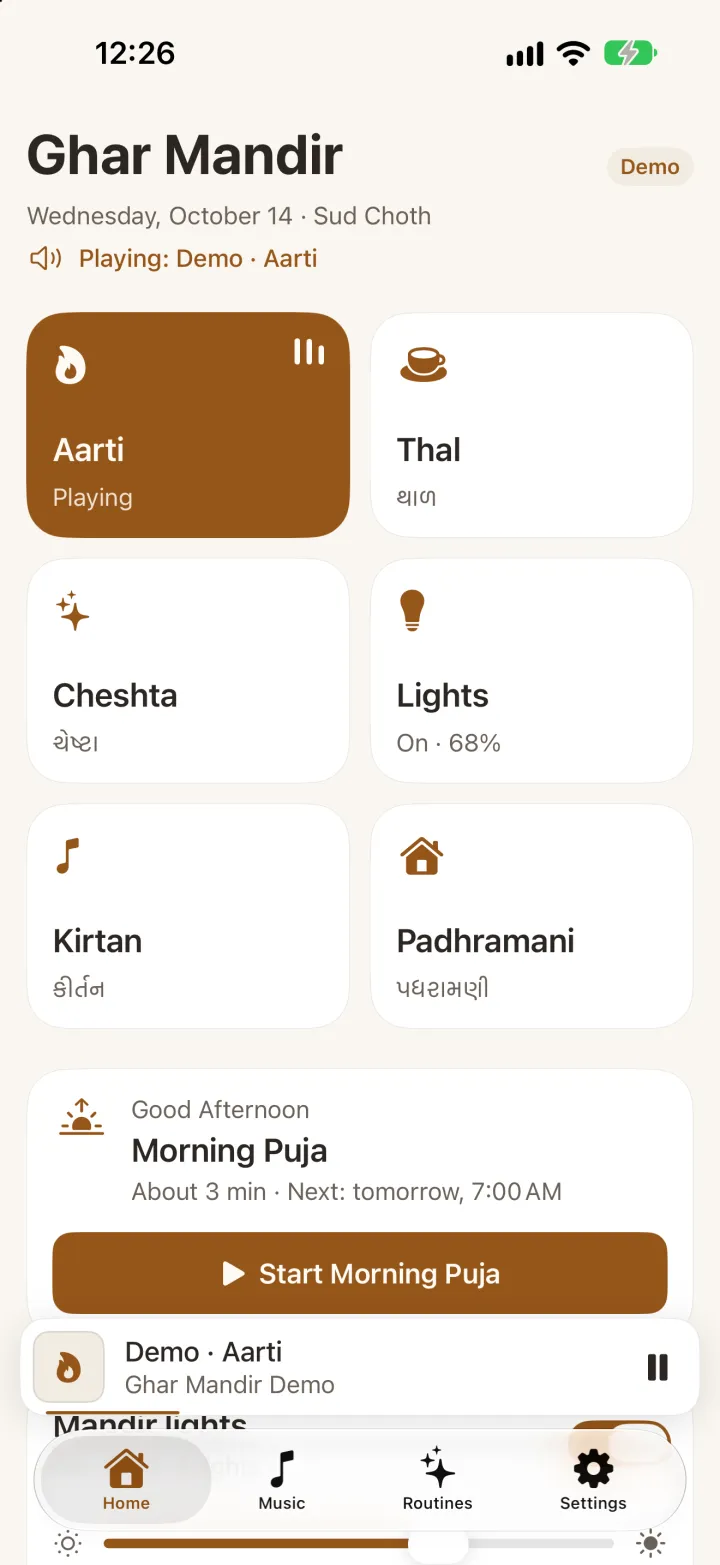
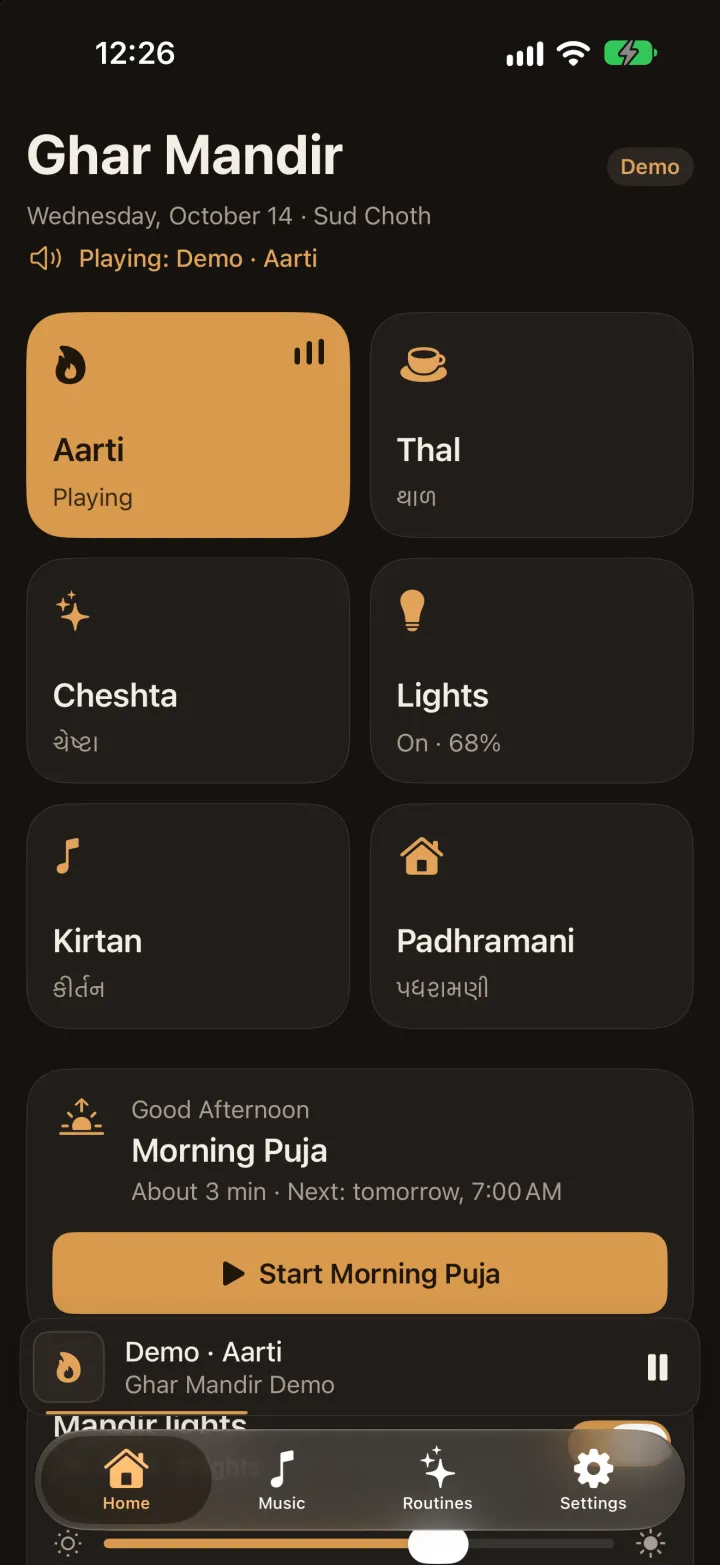
Today's date and tithi, Arti, Thal, Chesta and the lights as large buttons, and today's puja ready to start.

  • Today's tithi, fasting days and festivals from the BAPS calendar for 2026
  • One tap plays Arti, Thal or Chesta, and sets its lights
  • Today's puja with when it next starts, then pause, skip or stop as it runs
  • One switch and one slider for all the mandir lights
Ghar Mandir's Home screen on iPhone: Aarti playing, with Thal, Cheshta, Lights, Kirtan and Padhramani buttons and Morning Puja ready to start Ghar Mandir's Home screen on iPhone: Aarti playing, with Thal, Cheshta, Lights, Kirtan and Padhramani buttons and Morning Puja ready to start
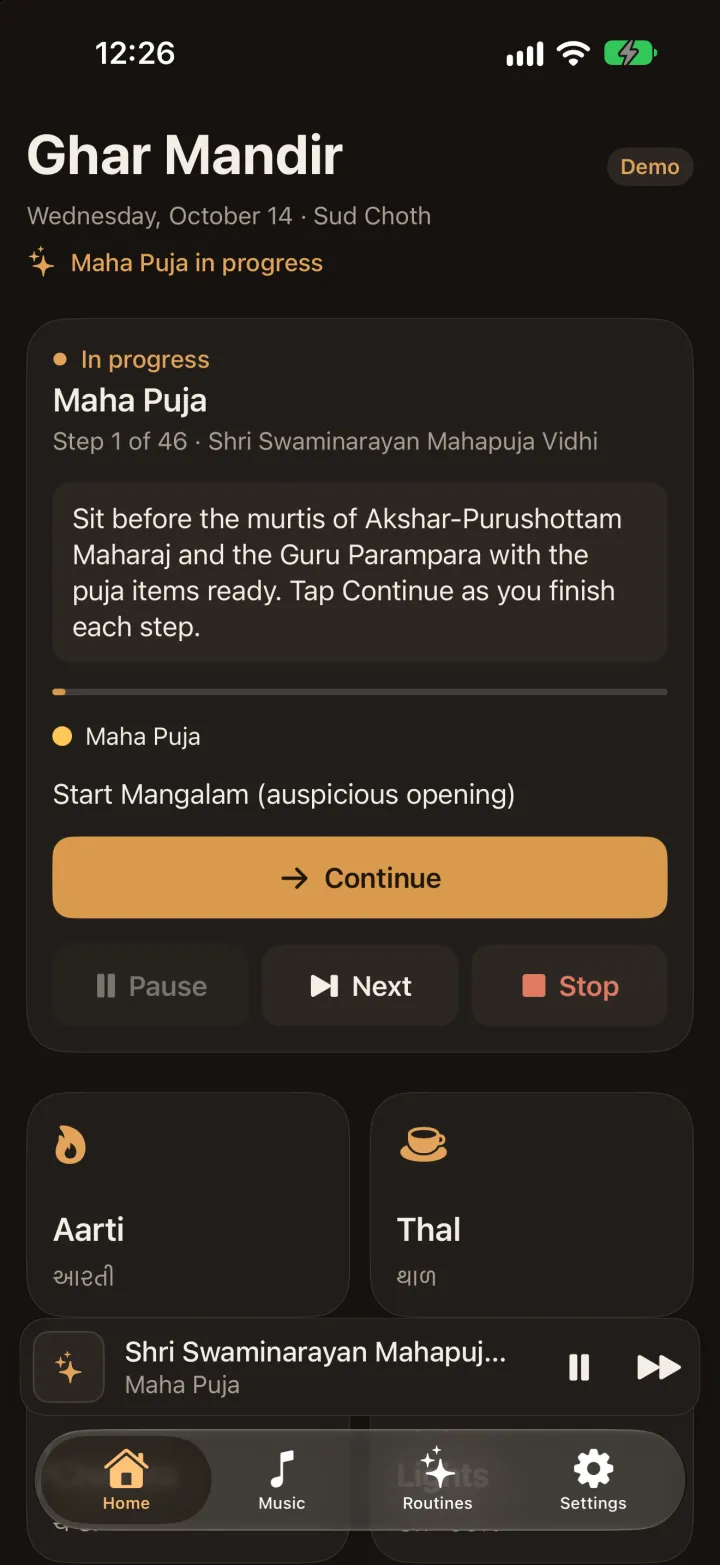
Maha Puja

The vidhi, one step at a time.

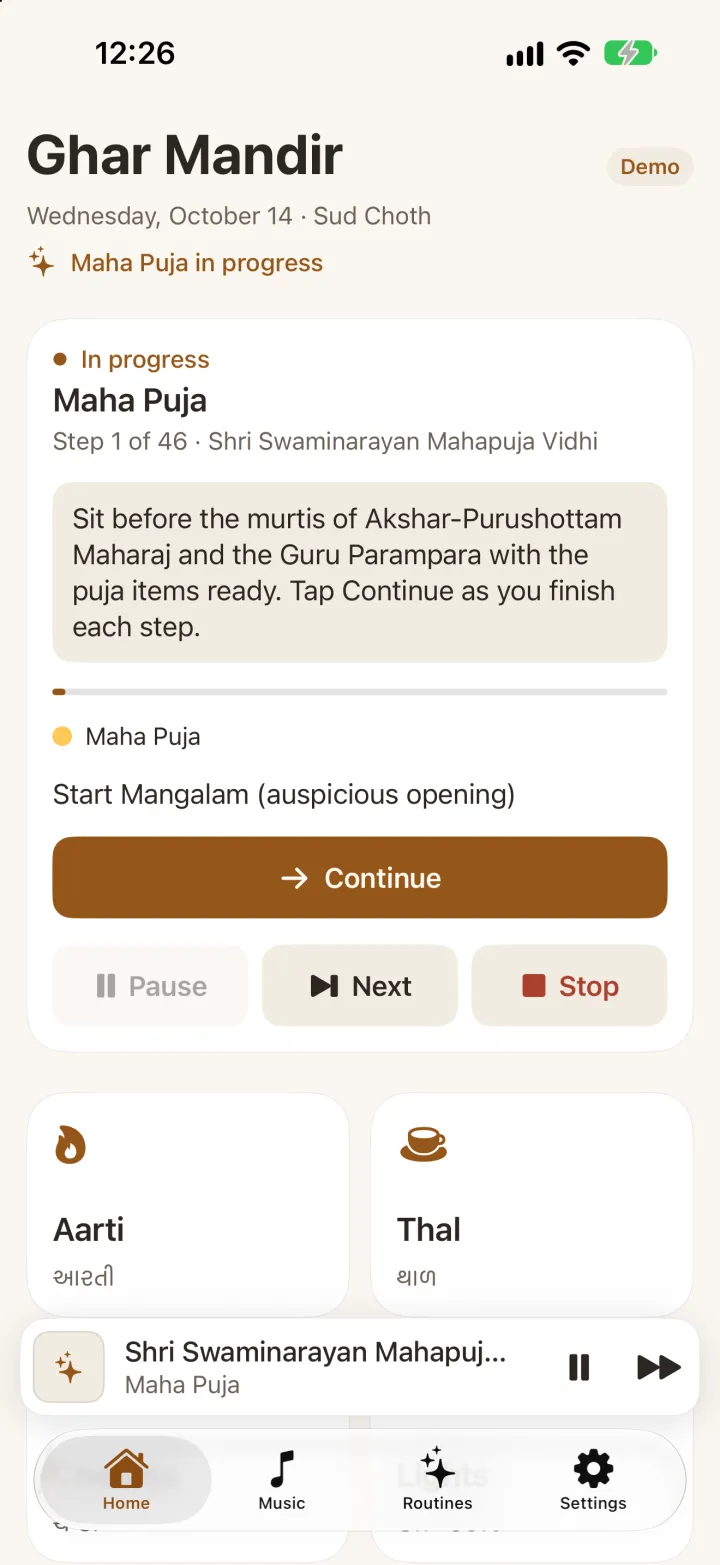
Maha Puja follows the Akshar-Purushottam Mahapuja vidhi in 46 steps. Each one says what to do, in English and Gujarati, and waits for you to tap Continue, so the family sets the pace.

  • What to do at every step, from Mangalam to Jayghosh
  • The dhun and arti play your own recordings
  • The lights change for the puja and the arti
  • Pause, skip a step or stop at any time
Maha Puja running on iPhone: step 1 of 46 with its instructions and a Continue button Maha Puja running on iPhone: step 1 of 46 with its instructions and a Continue button
Lighting

The lights follow the puja.

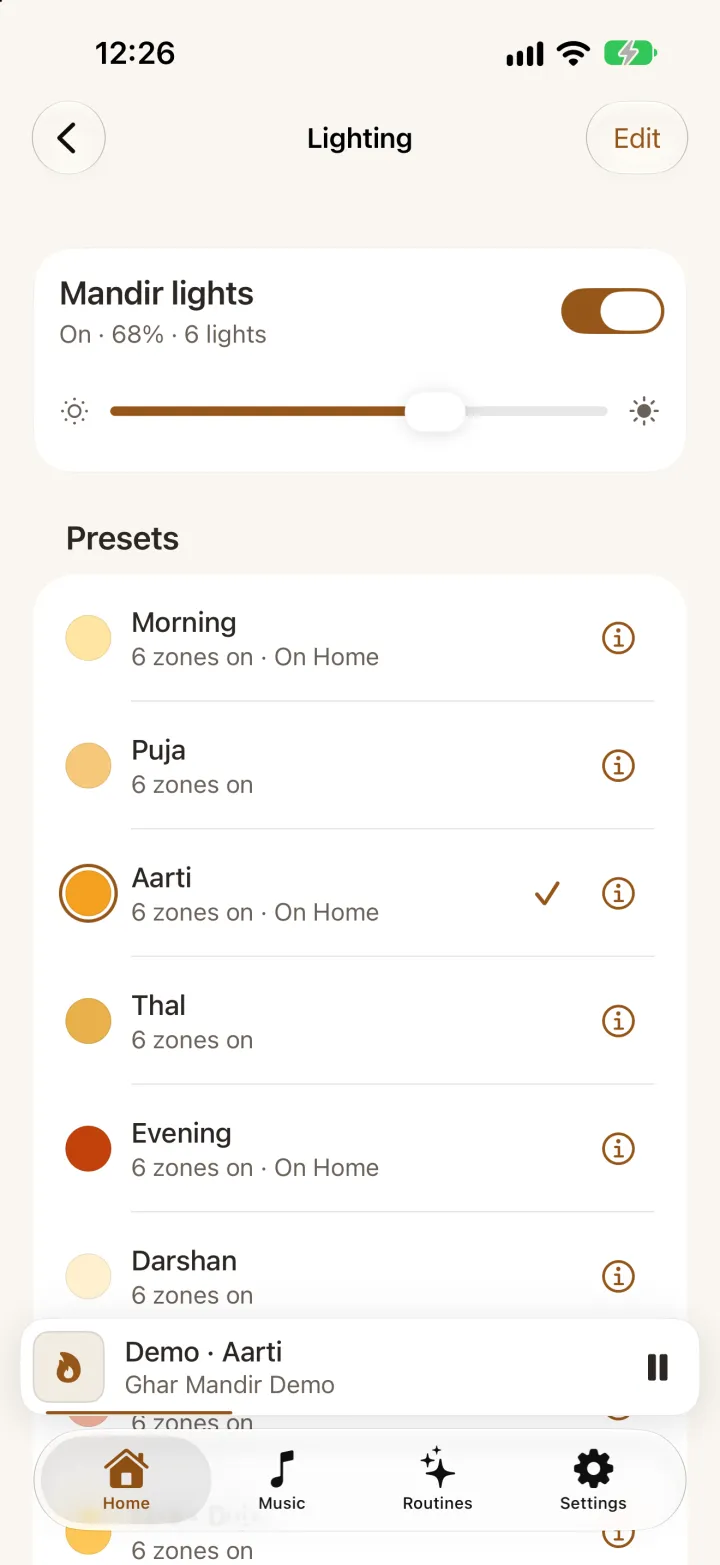
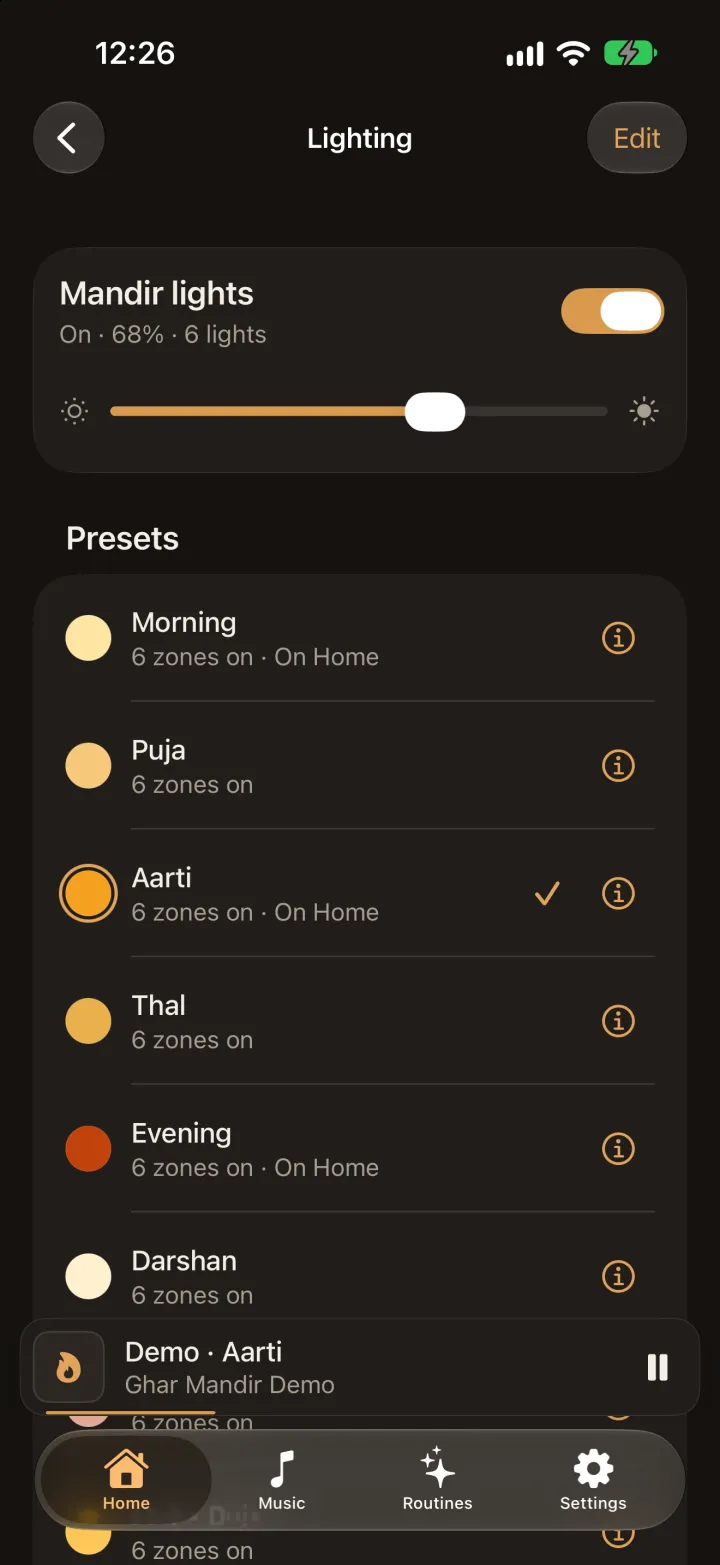
Each step of a routine can set a preset: Morning as the puja begins, Aarti for the aarti, Darshan when it ends. Choose your Apple Home lights, and Ghar Mandir sets them for you.

  • Switch and dim every mandir light, or all of them at once
  • Edit each preset, or have it run a scene from your Home app
  • Apple Home lights change while Ghar Mandir is open on screen
  • Demo Mode shows everything on simulated lights, no hardware needed
Ghar Mandir's Lighting screen on iPhone: a switch and brightness slider for the mandir lights, and presets for Morning, Puja, Aarti, Thal, Evening and Darshan Ghar Mandir's Lighting screen on iPhone: a switch and brightness slider for the mandir lights, and presets for Morning, Puja, Aarti, Thal, Evening and Darshan
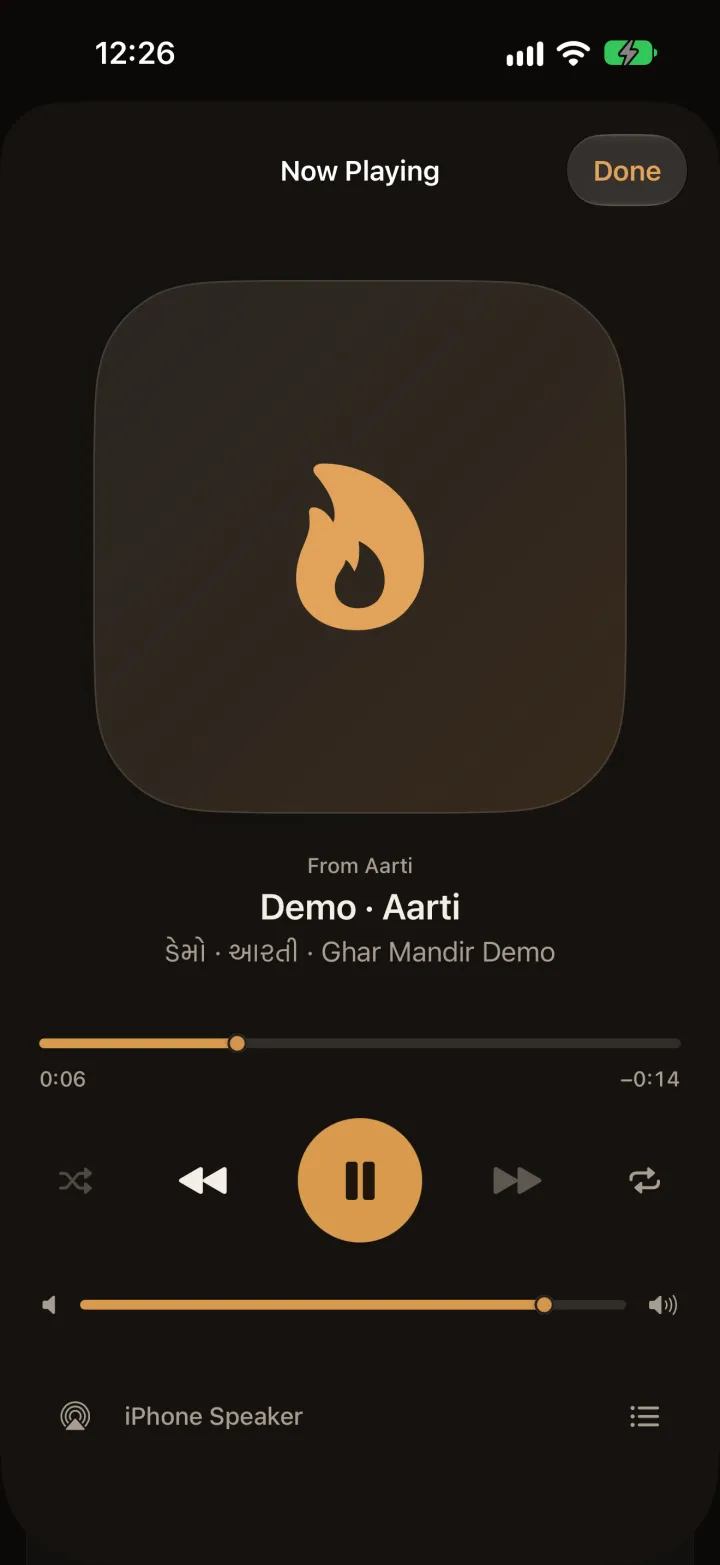
Music

Your family's recordings, ready to play.

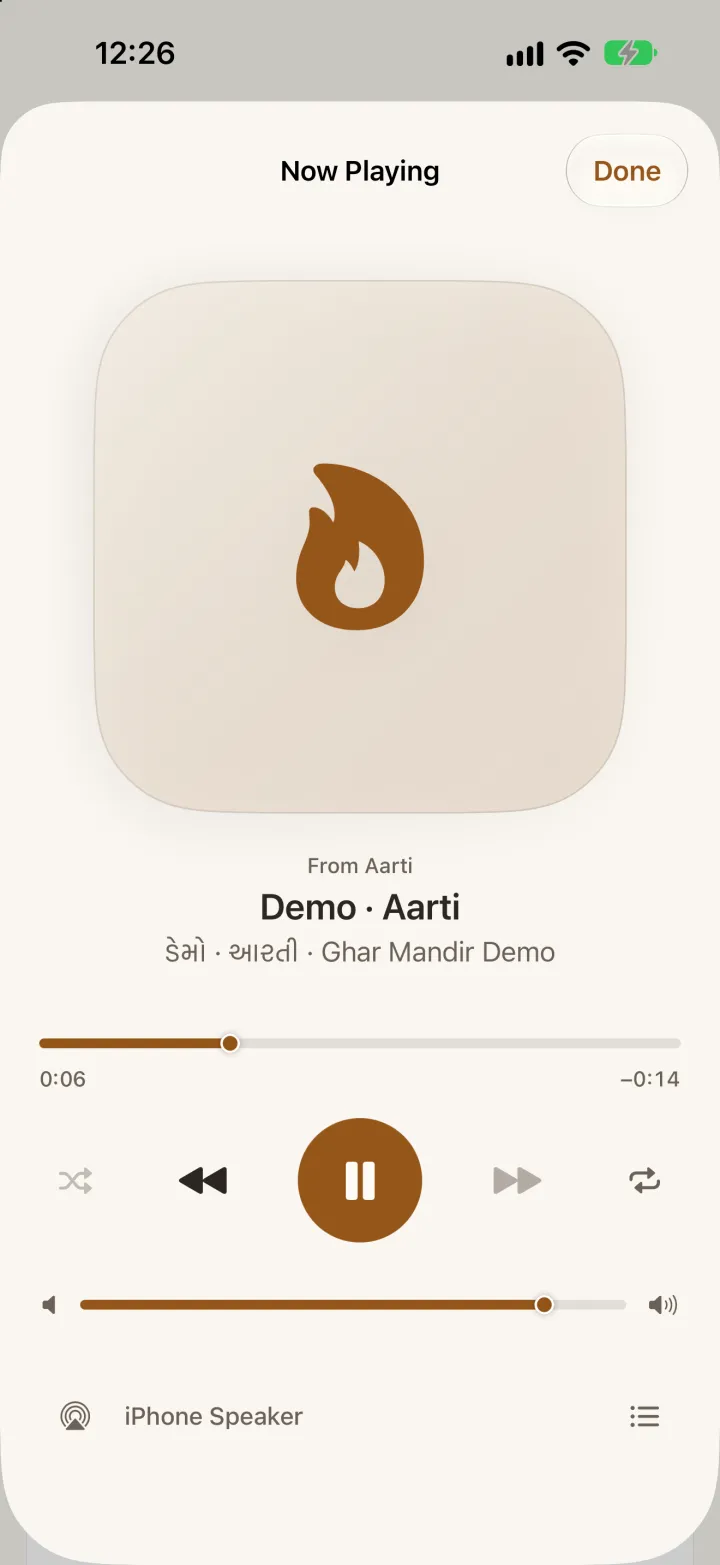
Import the aartis, thals, bhajans and kirtans you love. Browse them by category, keep favorites, make playlists, and play them on any speaker in the house.

  • Favorites, Recently Played, Recently Added and playlists
  • Shuffle, repeat and Up Next
  • AirPlay and Bluetooth speakers, with lock-screen controls
  • Titles in English and Gujarati
Ghar Mandir's player on iPhone: an Aarti playing, with shuffle, previous, pause, next, repeat, volume and AirPlay Ghar Mandir's player on iPhone: an Aarti playing, with shuffle, previous, pause, next, repeat, volume and AirPlay
Mandir Control Mode

An iPad on the mandir wall.

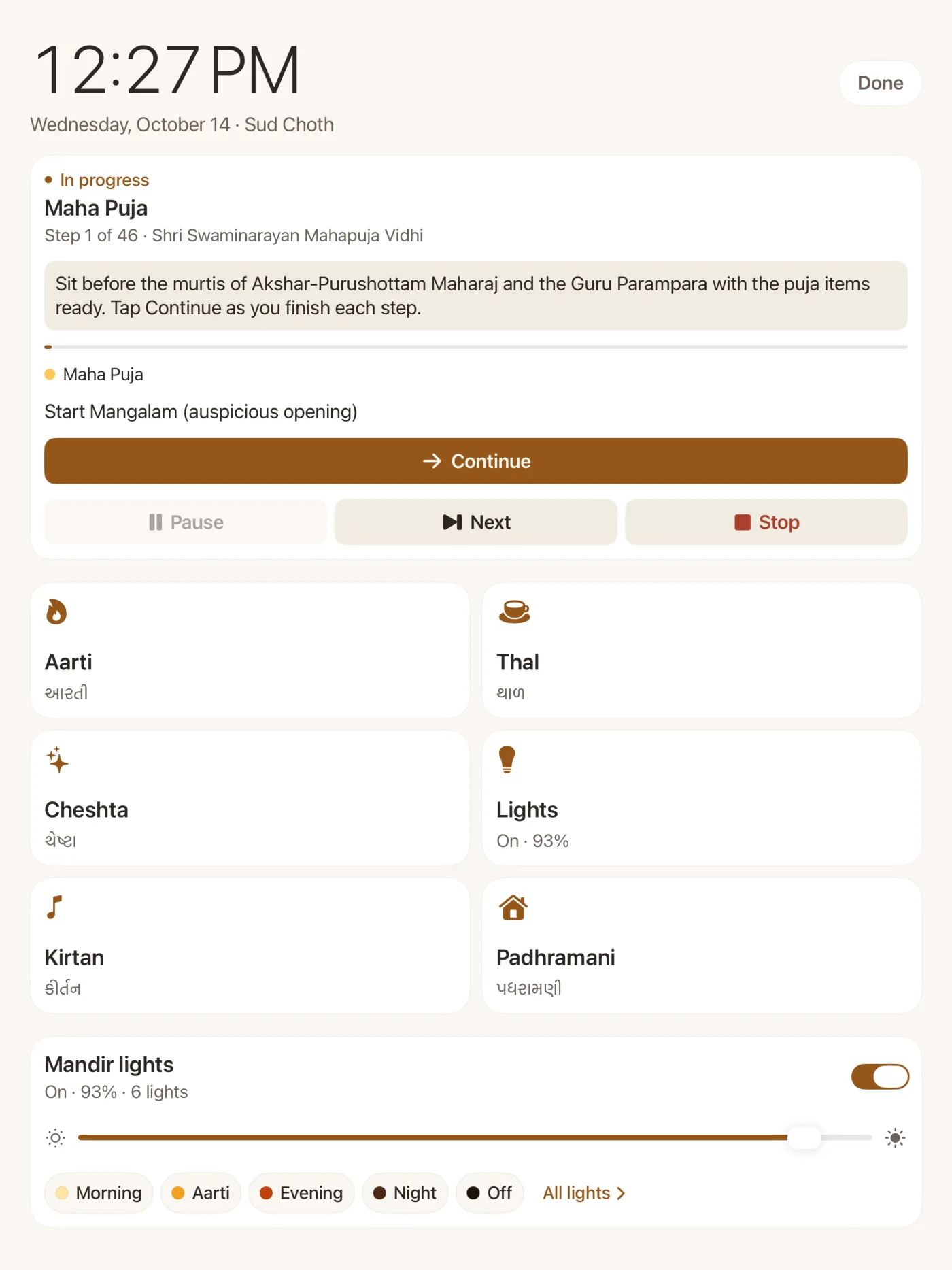
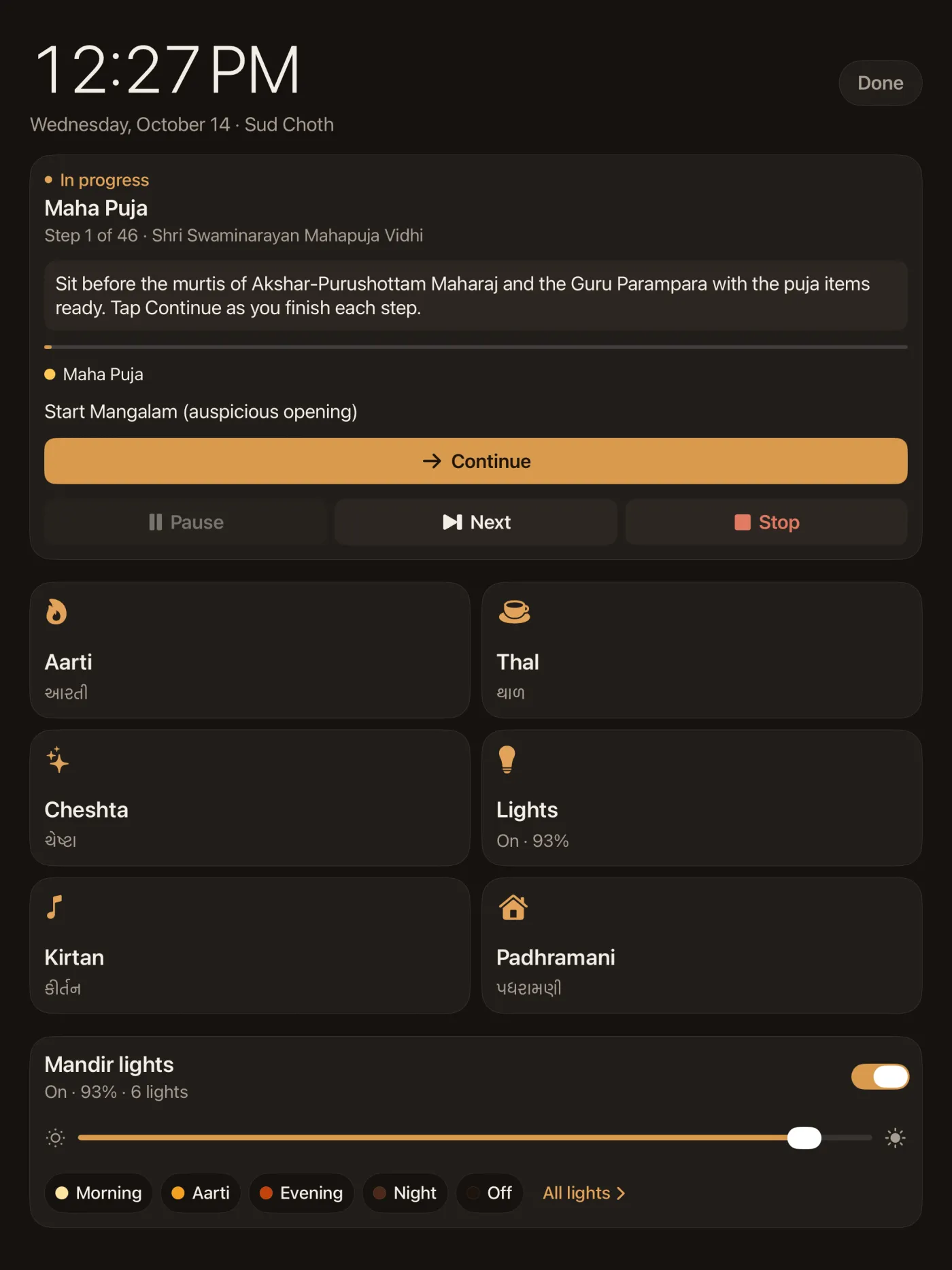
A calm, full-screen panel: a big clock and today's tithi, large buttons for Arti, Thal, Chesta and the lights, and the puja in progress, readable from across the room. The screen stays on, and a touch and hold on Done leaves it.

Mandir Control Mode on iPad: a large clock, the Maha Puja in progress with Continue, buttons for Aarti, Thal, Cheshta, Lights, Kirtan and Padhramani, and the mandir lights Mandir Control Mode on iPad: a large clock, the Maha Puja in progress with Continue, buttons for Aarti, Thal, Cheshta, Lights, Kirtan and Padhramani, and the mandir lights
For iPhone & iPad

Bring the mandir home.

One app for iPhone and iPad, in English and ગુજરાતી. No accounts, no ads, no network connections — your recordings, routines and schedules stay on your device.

Download on the App Store