Independent software, thoughtfully made
Small ideas. Thoughtful software.
Independent apps for everyday life, creative work, and everything in between. Designed with care. Built to be useful.
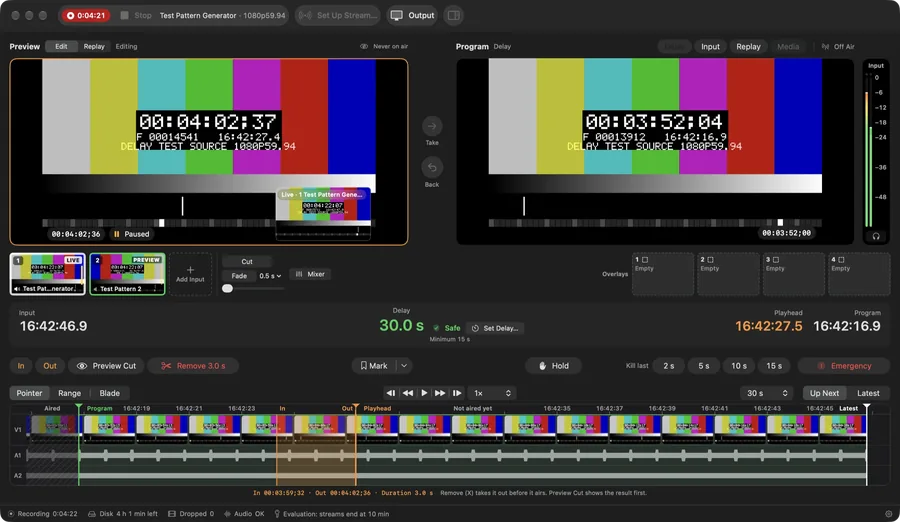
Edit live before it goes live.
Hold Program a set time behind Live. In that safety window you can scrub what has not aired yet and remove a mistake before the audience sees it.
Screens are from version 0.3.5.
Switch the show
Bring in sources through Blackmagic DeckLink or UltraStudio, AJA U-TAP, USB capture devices, HLS streams or NDI, and cut between up to eight of them in one window. Two built-in test patterns let you try every workflow without capture hardware.
Replay any angle
Every switcher camera is recorded, so any moment can be replayed from any angle. Shuttle from −4× to 8×, loop and step frames while capture keeps running, then save a frame-exact clip without re-encoding.
Fix it in the delay
Turn on Program Delay in Settings and Program runs a set time behind Live, anywhere from 10 seconds to 2 hours. Press E, mark a mistake with I and O, press X, and Program skips it while the full recording keeps every frame.

Route the show. Roll the decks.
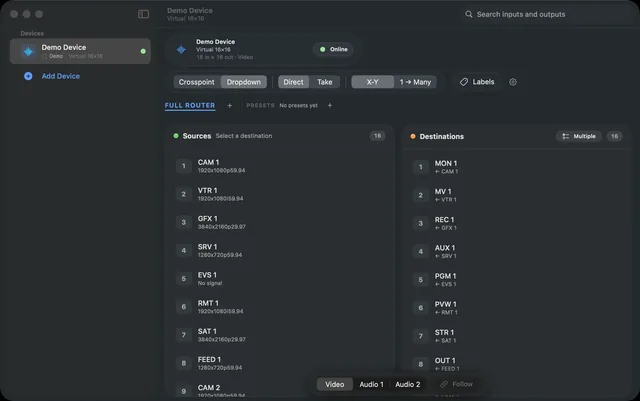
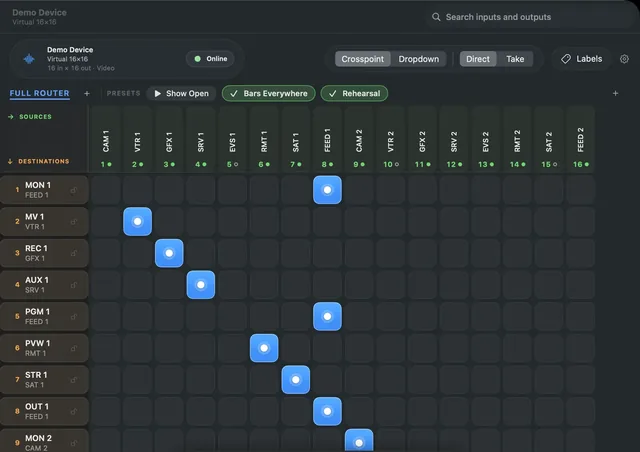
A native Mac app for broadcast and live production. It routes video matrices, runs a rack of Blackmagic HyperDecks as one group, and reports what each device answered.
- Crosspoint or X-Y
- Route matrices from 12×12 to 512×512 on a crosspoint grid or X-Y Dropdown view, with a virtual panel for each operator.
- Take, presets, locks
- Stage changes and cut them together with Take, use presets that show when they are active, and lock critical outputs.
- HyperDeck groups
- Record All and Stop All report back deck by deck, and a deck that did not respond is never shown as recording.
- Verified offload
- Transport copies clips off up to ten decks at once to any share Finder can mount, then reads every clip back and checksums it.
- Routers, decks, cameras
- Talks directly to Blackmagic Videohub, HyperDeck, ATEM and Teranex AV2, Lightware MX2, Ross Ultrix, Evertz Quartz, AJA KUMO, and VISCA and Panasonic PTZ cameras.
- Rehearse without gear
- Every device class has a simulator, and a whole rig exports as one .rtrconfig file that is previewed before import.

Your files. Your server. Your rules.
File storage, sync and sharing on your own server. Every file is encrypted on the device that uploads it, and the server never holds a key to open it. It has not had an independent security audit.
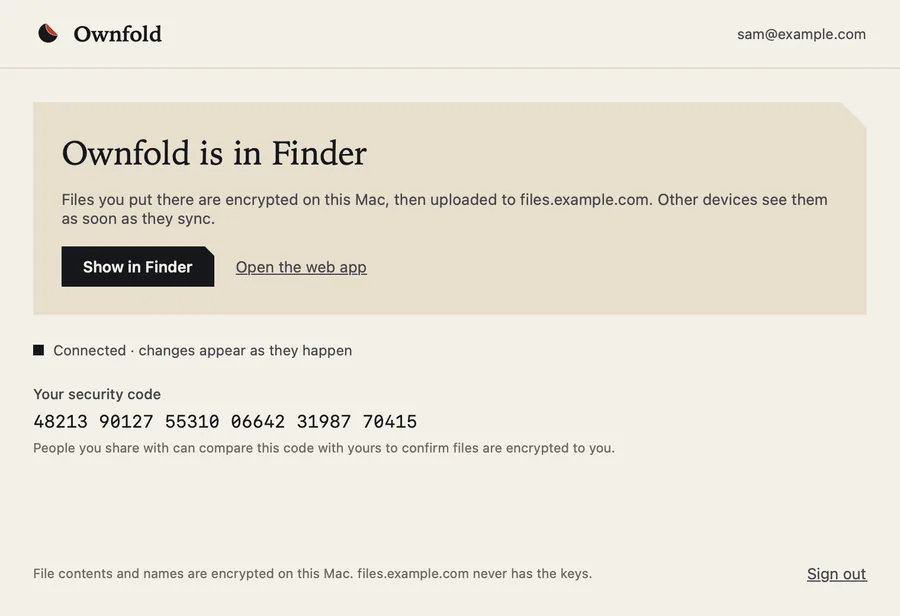
Screens from a development build
Kept on a server you run
The server runs in Docker on a NAS or a computer at home that stays on. It keeps files, versions, trash and links, and stores only ciphertext. The setup works end to end in testing.
Opened in Finder on a Mac
The Mac app puts Ownfold in Finder. In a signed development build you can browse and open encrypted files, add files and folders, edit, rename, move and delete. It isn’t available to download yet.
Reached from a browser
The early web app talks only to your own server; there is no hosted version. Upload, browsing, previews and public links work.
The collection
Every app, by the work it does.
Nine apps in four groups. Each one has its own page with screens, features, platforms and availability.








Contact
Questions, ideas or a bug to report.
info@praptiyogi.appWrite about any of the apps. Each app’s page lists where to get support, and its privacy policy where it has one.