Made for iPhone
See how fast your iPhone is really charging.
Plug in and watch your charging speed appear live — percent per hour, estimated watts flowing into the battery, and a time to full that models how charging slows past 80%.
Plug in and watch your charging speed appear live — percent per hour, estimated watts flowing into the battery, and a time to full that models how charging slows past 80%.
Charge Status reads how fast your battery level actually changes and turns it into speed, power, and time to full — and tells you which numbers are measured and which are estimates.
Measured from your battery's actual behavior, shown as percent per hour. It sharpens within minutes of plugging in.
Watts flowing into the battery, honestly labeled as the estimate it is.
Models the 80% trickle stage instead of pretending charging is linear.
An estimated grade of your setup against what your iPhone model can actually accept, so you know when a better adapter or cable would pay off.
Every charge recorded: range, duration, average watts.
Thermal state, charge stage, and Low Power Mode, all on the same screen.
Plug in and the readout starts building. Speed shows as percent per hour, power as estimated watts into the battery, and time to full accounts for the slowdown past 80% instead of assuming a straight line.
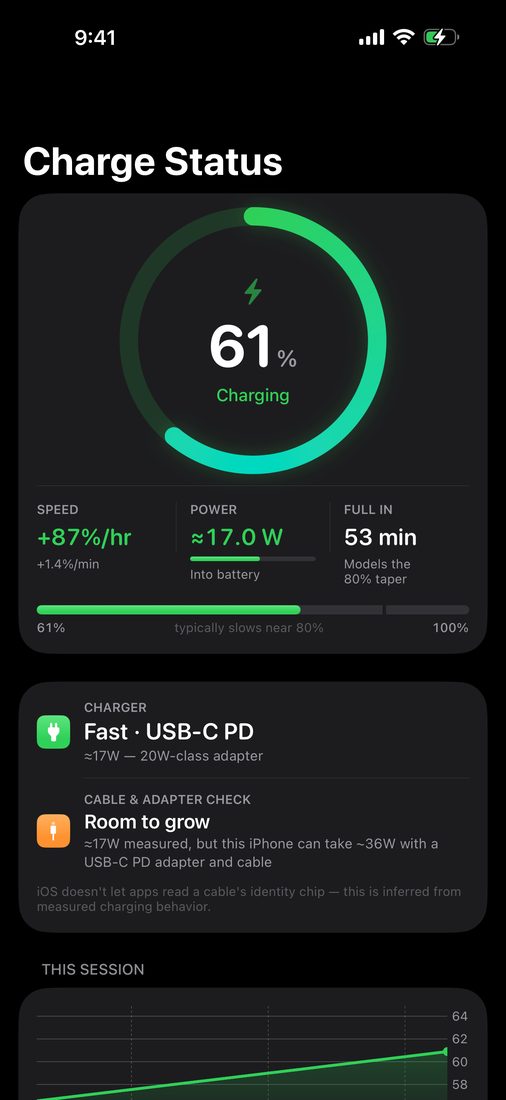
The charger card estimates what class of adapter you are on and grades your cable and adapter against what your iPhone model can accept. Below it, a chart of the current session and a record of every charge.
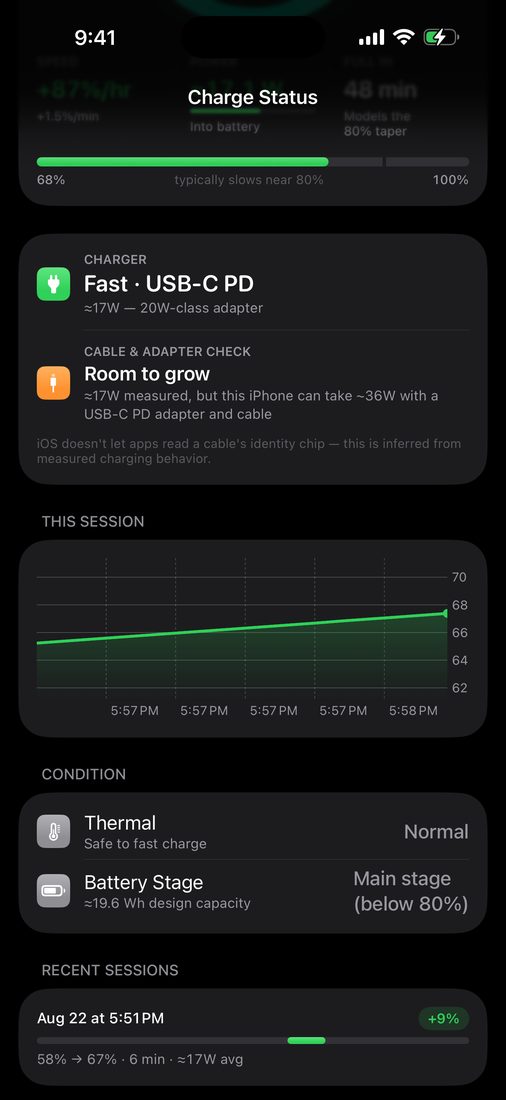
iOS does not let apps read charger wattage or cable identity. So Charge Status derives everything from how fast your battery level actually changes, and tells you exactly which numbers are measured and which are estimates. Nothing leaves your iPhone.
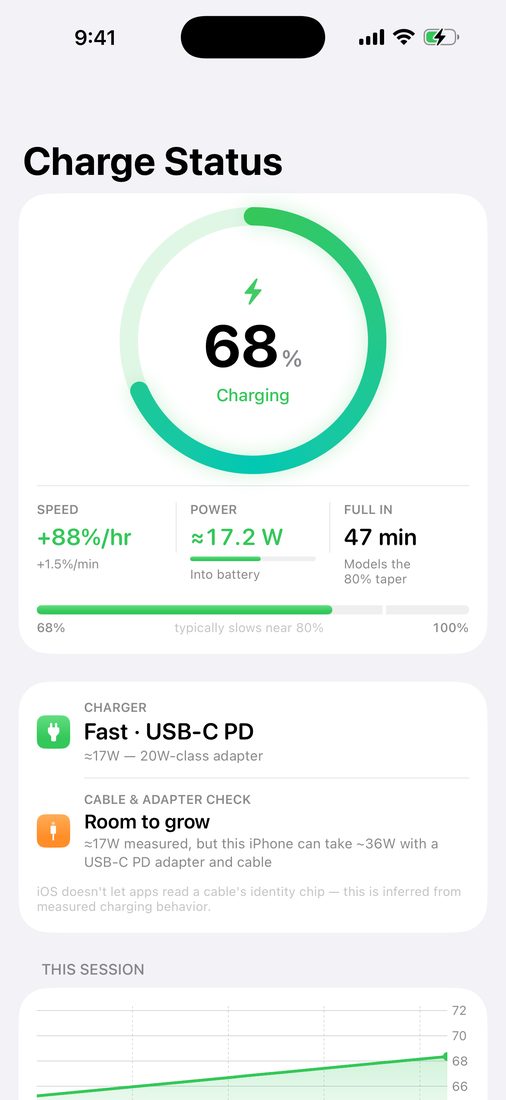
Live speed, estimated watts, time to full, and a record of every charge — computed on your iPhone from its own battery behavior.
Download on the App StoreFree for 7 days, then $4.99/year. No ads, no tracking, no data collection — everything stays on your iPhone.